What Is AI Music Generation?
AI music generation is the process of using artificial intelligence to compose original musical pieces. Instead of manually arranging notes, chords, and rhythms, you describe what you want in plain language and an AI music generator handles the composition, instrumentation, and production automatically. The result is a unique, royalty-ready track created in seconds rather than hours.
The technology has matured rapidly. Early AI music tools produced simple, repetitive loops that sounded obviously machine-made. Today's AI music generators create rich, multi-layered compositions with realistic instruments, dynamic arrangements, and emotional depth that rival human-produced tracks. If you've ever wanted to create AI music but didn't know where to start, 2026 is the perfect time to dive in.
How Text-to-Music Technology Works
At its core, an AI music generator uses a large neural network trained on vast libraries of musical data. When you create AI music using a text prompt, the system goes through several sophisticated steps:
- Prompt interpretation: Natural language processing models analyze your text description to understand the desired genre, mood, tempo, instrumentation, and style.
- Musical structure planning: The AI determines song structure elements like intro, verse, chorus, bridge, and outro based on genre conventions and your specifications.
- Audio synthesis: A generative model produces the actual audio waveform, creating realistic-sounding instruments and vocal elements from learned patterns.
- Post-processing: The output is refined with mixing and mastering techniques to deliver polished, production-ready audio.
Modern AI music generators like Echo use diffusion-based models that progressively refine audio from noise into coherent music, producing remarkably high-fidelity results that capture the nuances of real instruments and production techniques.
Step-by-Step Guide to Creating Music with Echo
Ready to create AI music? Here's how to go from idea to finished track using Echo:
Step 1: Download and Open Echo
Download Echo from the App Store and open the app. Navigate to the music generation section from the main menu. The AI music generator is available to all users, with Pro subscribers getting access to longer tracks and advanced options.
Step 2: Write Your Music Prompt
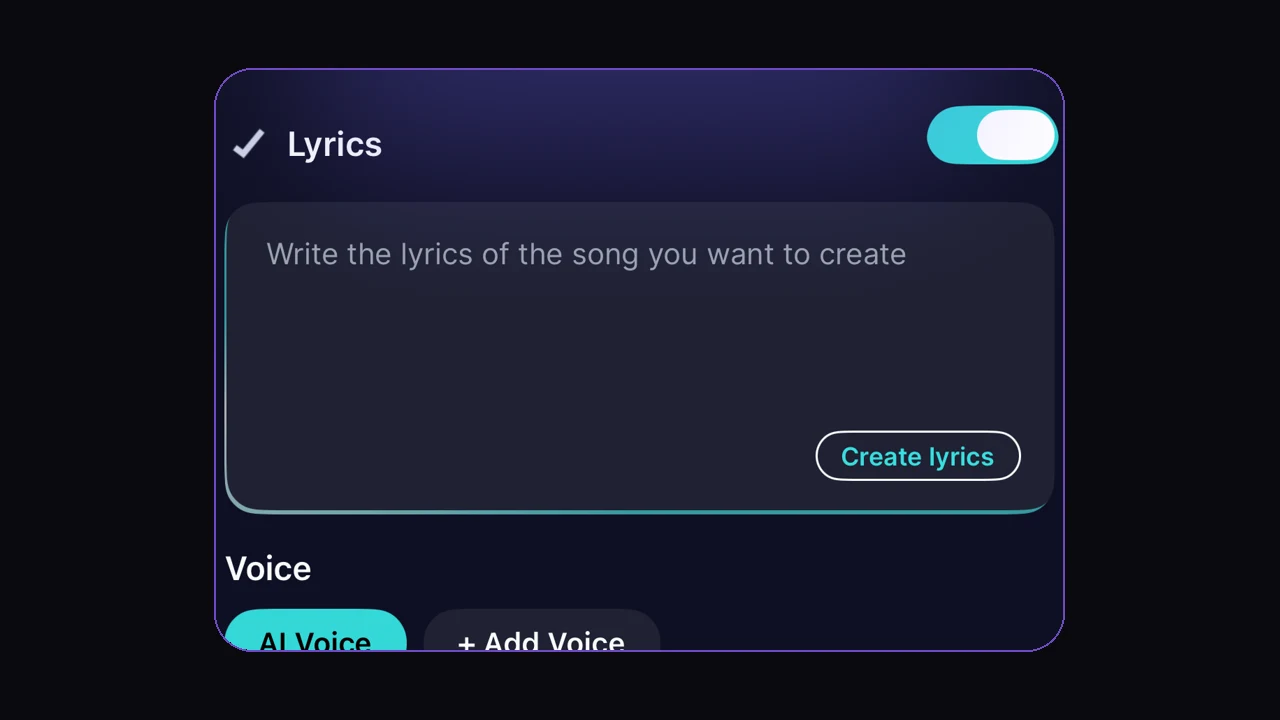
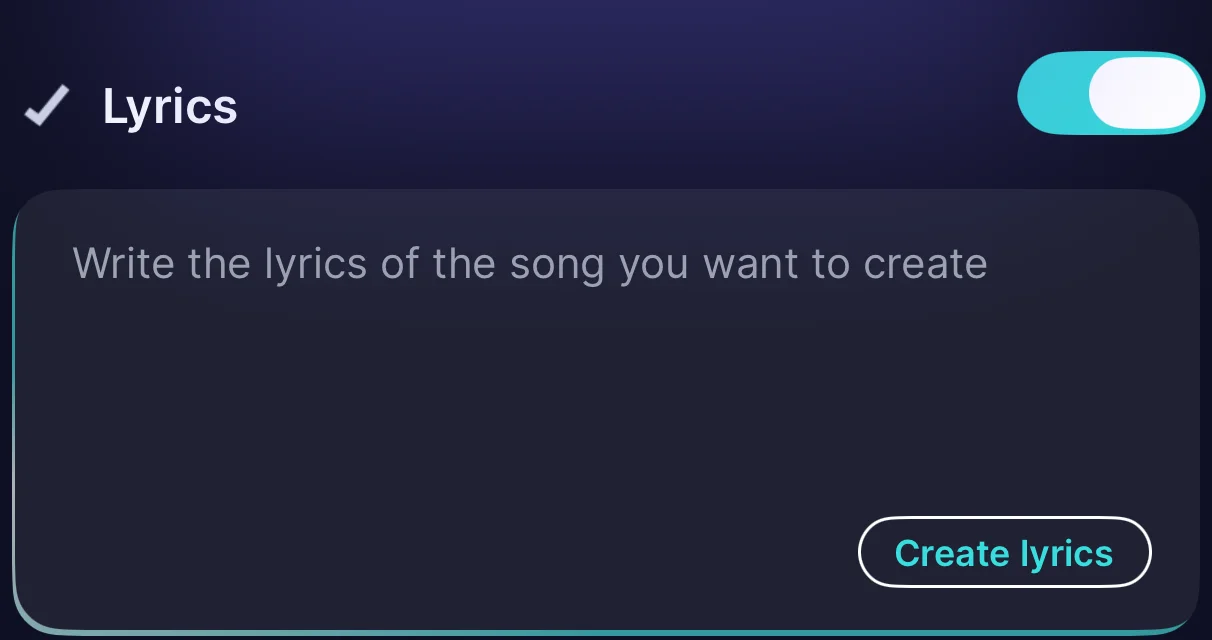
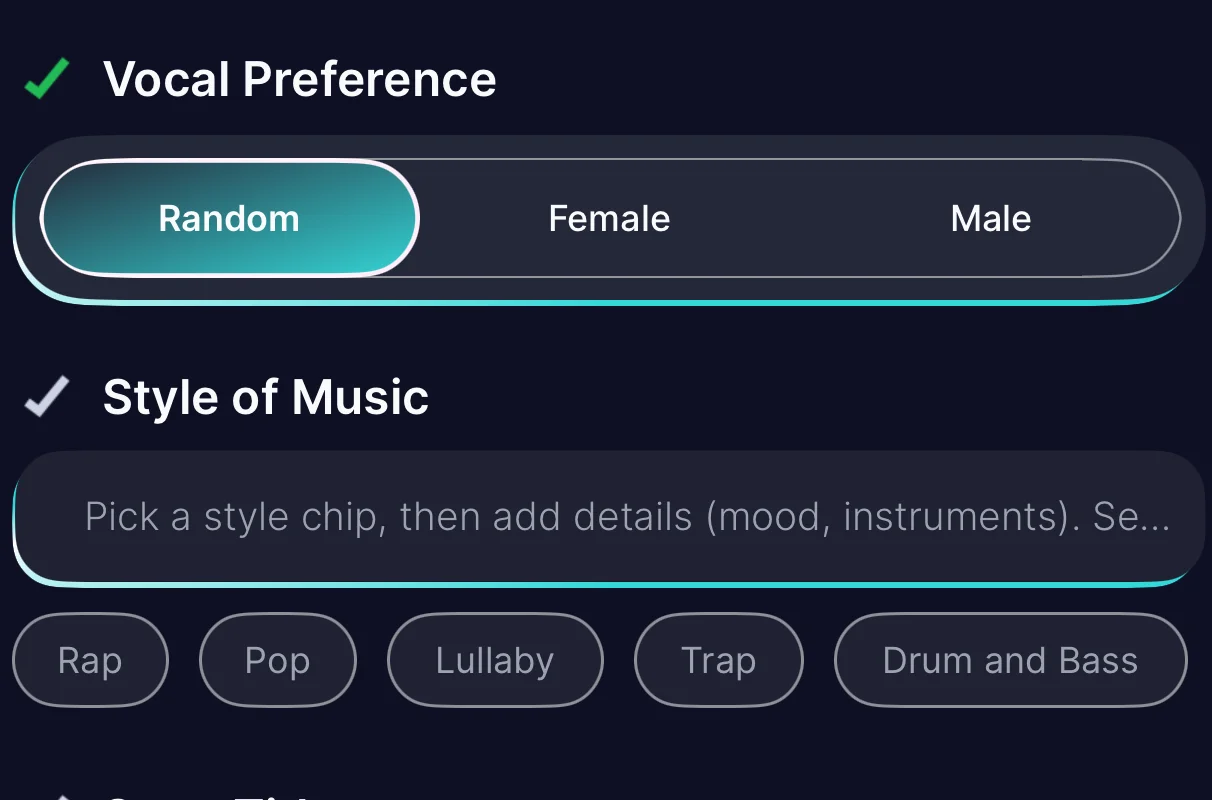
Describe the music you want to create. In Echo's Create Music form this splits into two inputs: the Lyrics field (write your own or tap Create lyrics to have AI draft them) and the Style of Music field, where you pick a genre chip and add details like mood and instruments. The more specific, the better — instead of "happy music," try "upbeat indie pop with acoustic guitar, hand claps, and a whistling melody." We'll cover prompt writing tips in detail below.
Step 3: Generate and Preview
Tap generate and let the AI music generator work its magic. Echo typically produces a track in under 30 seconds. Listen to the preview and decide if it matches your vision. You can generate multiple variations from the same prompt to explore different interpretations.
Step 4: Refine and Iterate
Not quite right? Adjust your prompt and regenerate. You might add specific instruments, change the tempo, or shift the mood. Each generation gives you a fresh take, so don't hesitate to experiment. The iterative process is part of the creative fun when you create AI music.
Step 5: Export and Use
Once you have a track you love, export it in high-quality audio format. Share directly to social media, import into your video editor, or save to your music library. Pro subscribers can use generated tracks for commercial projects.
Tips for Writing Effective Music Prompts
The quality of your AI-generated music depends heavily on how you describe what you want. Here are proven strategies for writing prompts that produce great results:
- Specify the genre: "Lo-fi hip hop," "cinematic orchestral," "90s grunge rock," or "tropical house" gives the AI music generator a clear starting point.
- Describe the mood: Use emotional descriptors like "melancholic," "triumphant," "dreamy," "aggressive," or "peaceful and contemplative."
- Name instruments: Mention specific instruments you want featured: "piano-driven," "heavy electric guitar riffs," "soft synth pads with a deep bass line."
- Set the tempo: Include BPM if you have a specific pace in mind, or use relative terms like "slow and deliberate" or "fast-paced and energetic."
- Reference a use case: "Background music for a cooking tutorial," "intro music for a tech podcast," or "workout motivation track" helps the AI understand context.
- Add production style notes: "Vintage vinyl warmth," "clean modern production," "lo-fi with tape hiss," or "heavily reverbed and atmospheric."
The best prompts paint a vivid picture. Don't just tell the AI what genre you want — describe the scene, the feeling, and the experience you're trying to create.
Genres and Styles You Can Create
One of the most exciting aspects of learning how to create AI music is the sheer breadth of styles available. Echo's AI music generator can produce tracks across virtually every genre:
- Pop and indie: Catchy hooks, polished production, and radio-ready arrangements.
- Hip hop and R&B: Hard-hitting beats, smooth melodies, and trap-influenced productions.
- Electronic: From ambient and downtempo to EDM, techno, and drum & bass.
- Rock and metal: Distorted guitars, powerful drums, and everything from soft rock to death metal.
- Classical and orchestral: Full symphonic arrangements, chamber music, and cinematic scores.
- Jazz and blues: Improvisation-influenced pieces with authentic instrument tones.
- World music: Latin, Afrobeat, K-pop, Bollywood, and regional styles from around the globe.
- Lo-fi and ambient: Relaxation music, study beats, and atmospheric soundscapes.
You can also blend genres for unique hybrid styles. Try "jazz-infused lo-fi hip hop" or "orchestral dubstep" to push creative boundaries and create AI music that's truly one of a kind.
Commercial Use and Licensing

A common question when people learn how to create AI music is whether they can use their generated tracks commercially. With Echo Pro, the answer is yes. Tracks generated through Echo Pro come with a commercial license that allows you to use them in:
- YouTube videos, podcasts, and social media content
- Commercial advertisements and marketing materials
- Apps, games, and software products
- Film and video productions
- Background music for businesses and events
Free tier users can use generated music for personal, non-commercial projects. If you plan to monetize content that includes AI-generated music, upgrading to Pro ensures you have full commercial rights and access to the highest-quality output from the AI music generator.
The ability to create AI music with commercial rights has been transformative for independent creators, small businesses, and startups that previously couldn't afford custom music production. With Echo, professional-quality original music is accessible to everyone, regardless of budget or musical background.
Start Creating AI Music Today
Download Echo free and generate your first original track in under a minute.
Download Echo Free